


Cut No Shows 14–15%: Appointment Confirmation Texts for Service Teams
An appointment confirmation text is a short message sent right after a booking to verify the date, time, and service, and it works because it catches the client’s attention within minutes instead of days. A starter template looks like this: “Hi [Name], you’re confirmed for [Service] on [Date] at [Time] at [Location]. Reply YES to confirm or call us to reschedule.” The sections below walk through industry-specific templates, the wording research behind them, and how to automate the whole process.
TL;DR:
Sending confirmation within minutes of booking using a structured message improves reply rates and reduces forgotten appointments.
Including specific cost, social norms, or emotional framing in reminders can lower no-show rates by up to half compared to generic messages.
Timing is critical: confirm immediately after booking and send follow-up reminders 24 to 48 hours before, with additional alerts for long or same-day bookings.
Using reply keywords like YES, NO, or RESCHEDULE, combined with link-based details for instructions, enhances operational efficiency and tracking.
Automating confirmation workflows with integrated SMS and CRM tools maintains consistency and scales effectively as booking volume increases.
AstreauxKeep More Appointments on TrackAstreaux automates personalized lead engagement and scheduling for service professionals, helping reduce missed opportunities and no shows.Book a call
Copy-paste templates organized by industry and use case
Every template below fits in a single SMS segment, which keeps your call-to-action visible instead of getting cut off mid-sentence. Swap in your merge fields and you’re ready to send.
Universal confirmation (send immediately after booking):
“Hi [Name], your appointment for [Service] is confirmed for [Date] at [Time]. Reply YES to confirm.”
“Thanks for booking, [Name]! We’ll see you [Date] at [Time] for [Service]. Need to change it? Reply RESCHEDULE.”
These two work for almost any service business and double as your default fallback when you haven’t built out a vertical-specific library yet.
Healthcare and telehealth:
“Hi [Name], your telehealth visit with [Provider] is set for [Date] at [Time]. Click [Link] to join or reply CONFIRM.”
“Reminder: your appointment at [Clinic] is [Date], [Time]. Reply YES to keep it or NO to cancel.”
Healthcare offices often prefer reply-based confirmation (YES/NO) over links, since many patients are managing the message from a lock screen and won’t tap through.
Dental and therapy practices:
“Hi [Name], you’re confirmed with [Provider] on [Date] at [Time] for [Service]. Reply C to confirm.”
“This is a reminder for your session on [Date] at [Time]. Life happens, reply RESCHEDULE if you need a new time.”
Therapy and dental practices benefit from a softer tone since missed appointments here often come from anxiety rather than forgetfulness.
Salons and spas:
“Hi [Name]! You’re booked for [Service] on [Date] at [Time] with [Stylist]. Reply YES to lock it in.”
“See you soon, [Name]! [Service] appointment confirmed for [Date] at [Time]. Need to reschedule? Tap [Link].”
Home services and contractors:
“Hi [Name], your [Service] appointment is confirmed for [Date] between [Time Window]. Our tech will text when en route.”
“[Company] is confirmed for [Date] at [Time] for your [Service] estimate. Reply YES or call [Phone] to adjust.”
Contractors should lean on the link-based option when a job requires prep instructions (clearing a driveway, moving furniture), since that detail belongs on a linked page, not crammed into the text.
Real estate and agents:
“Hi [Name], your showing at [Location] is confirmed for [Date] at [Time]. Reply YES to confirm.”
“[Agent] will meet you at [Location] on [Date] at [Time] for your consultation. Reply C to confirm or R to reschedule.”
Pet care:
“Hi [Name], [Pet]'s appointment with [Provider] is confirmed for [Date] at [Time]. Reply YES to keep it.”
“Reminder: [Pet]'s grooming is [Date] at [Time]. Please arrive 10 minutes early. Reply YES to confirm.”
Insurance and financial advisors:
“Hi [Name], your consultation with [Advisor] is confirmed for [Date] at [Time]. Reply YES or call [Phone] to reschedule.”
“This confirms your policy review on [Date] at [Time]. Please have your documents ready. Reply C to confirm.”
Virtual consultations:
“Hi [Name], your video call with [Provider] is set for [Date] at [Time]. Join here: [Link].”
“Your virtual consultation is confirmed for [Date] at [Time]. Test your camera beforehand and click [Link] to join.”
Use a reply keyword when the goal is a simple yes/no and you want the answer logged automatically in your calendar or CRM. Use a link when the client needs more than a confirmation, like a video call, a form, or directions.
The wording that moves attendance rates
The strongest confirmation texts answer four questions in order: who it’s with, what the service is, when it happens, and where. That structure alone, kept to one SMS segment under 160 characters, preserves CTA visibility and keeps your reply rate high.
Beyond structure, the actual framing of the message changes behavior. Two randomized controlled trials found that reminders stating the specific cost of a missed appointment reduced missed hospital appointments compared with standard wording, cutting no-show rates by a small but notable margin in replicated trials.
A separate large-scale A/B testing study went further, comparing several behaviorally framed reminders against a plain control message. It found that emotional and cost-framed messages lowered no-show rates from around 21% in the control group down to roughly 14 to 15% for the best-performing frames.
Four frames worth testing in your own practice:
Specific-cost framing: “Missing this appointment costs the practice [Amount] in lost time. Reply YES to confirm.”
Emotional or empathy framing: “We’ve reserved this time just for you. Reply YES so we don’t give it to someone else.”
Social-norm framing: “Most clients confirm within an hour of booking. Reply YES to join them.”
Easy-cancel framing: “Can’t make it? No problem, reply RESCHEDULE and we’ll find a better time.”
Statistic: Emotional-guilt and appointment-cost framing notably reduced no-shows compared to a higher baseline rate in a large messaging trial, meaning the wording of a reminder can matter as much as sending one at all.
To find what works for your clients, run a simple A/B test: split new bookings into two groups, send your current template to one and a reframed version to the other, and track no-show rate or advance-cancellation rate over a 30 to 90 day window depending on your appointment volume.

Pro Tip: Keep confirmation texts free of marketing language, discount codes, or upsell offers. Mixing promotional content into a transactional message can shift it into a category that requires stricter consent under U.S. rules.
When and how to send confirmations and reminders
Timing determines whether a confirmation text gets read or ignored. Send the confirmation immediately after booking, while the appointment is still top of mind, then follow with a reminder 24 to 48 hours before the visit. For appointments booked far in advance, add an extra reminder about a week out. For same-day bookings, a reminder sent one to three hours ahead works better than a 24-hour window that’s already passed.
Send the confirmation within minutes of booking, structured as Who, What, When, Where.
Send a reminder 24 to 48 hours before the appointment with a reply keyword or confirmation link.
For long-lead bookings, add a one-week-out reminder; for same-day bookings, send one to three hours ahead instead.
Route reschedule or cancellation replies into your calendar automatically so staff aren’t manually re-keying changes.
On the delivery side, reply keywords like YES and NO work well for simple confirmations, while short links are better suited to anything that needs more detail, such as prep instructions, directions, or a video call. Keep the instructions themselves on a linked webpage rather than in the text body, which keeps the message short and the CTA visible.
A few operational checkpoints matter before you turn any of this on:
Record the source of consent at the moment of booking and store it in your CRM, not just in your texting tool.
Keep transactional appointment messages separate from promotional campaigns, since blending them can trigger stricter consent requirements under TCPA.
If your practice handles protected health information, review your texting setup against HIPAA requirements before sending any patient-specific detail.
Once reminders are running, track four numbers weekly: confirmation rate, reply rate, cancellation rate, and no-show rate. Compare week over week, and treat any wording change as its own small test rather than changing five things at once.
First-party evidence: how automation closes the gap
Templates and timing get you most of the way there, but manual sending breaks down once appointment volume grows. SMS reminders and message framing have reduced no-shows by 20 to 50% for service firms that automate the process, and missed-call text automation has turned otherwise-lost inquiries into booked jobs by replying within 60 seconds.
A simple pilot sequence for testing automation in your own practice:
Baseline your current no-show and confirmation rates for two to four weeks before making changes.
Pick two templates (one structural, one behaviorally framed) to run side by side.
Turn on reply handling for YES/NO and reschedule keywords.
Measure the change over a 30 to 90 day window and compare against your baseline.
Pilot step | What to measure | Typical window |
|---|---|---|
Baseline | Current no-show and confirmation rate | 2 to 4 weeks |
Template test | Reply rate by frame | 30 to 90 days |
Reply handling | Cancellation and reschedule volume | Ongoing |
Clean merge-field data (correct names, dates, and locations pulled from your calendar) matters as much as wording, since a broken placeholder undermines trust in the message instantly.
Quick prioritization and testing advice
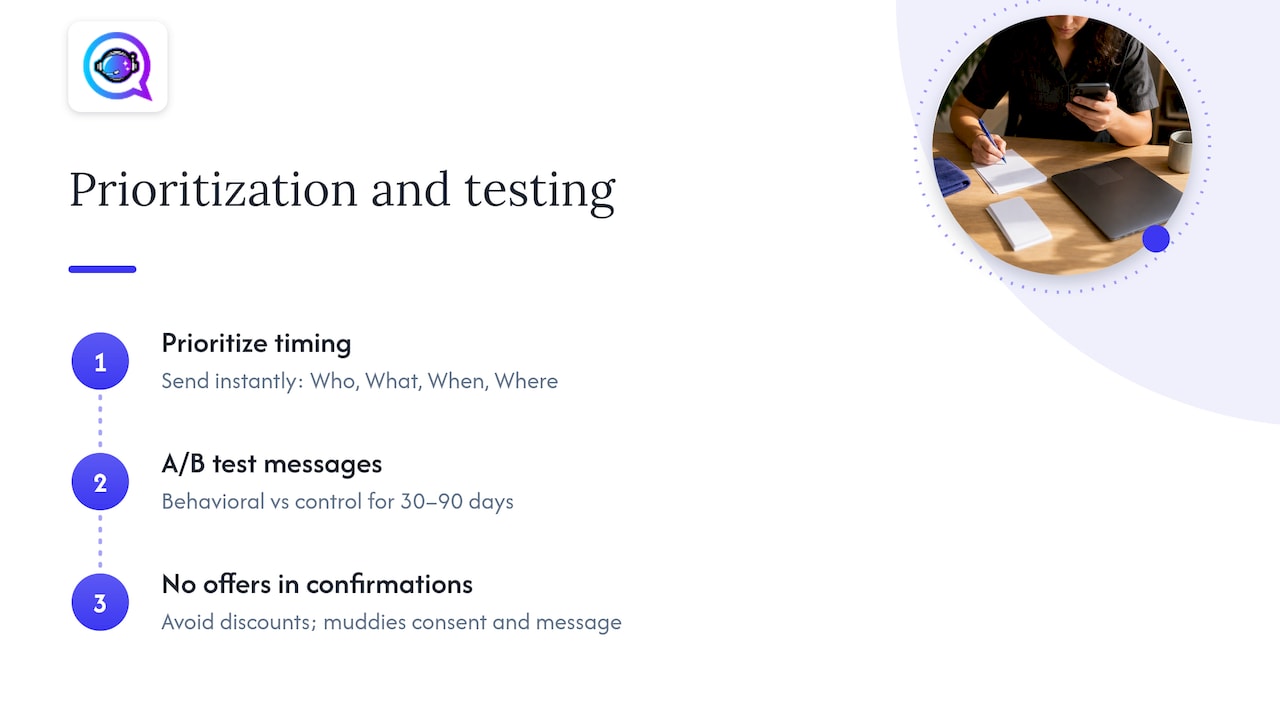
If you only change one thing this month, make it timing: fire the confirmation the instant a booking happens, with Who, What, When, and Where in the first line. That alone fixes most of the silent no-shows that come from forgotten bookings rather than deliberate cancellations.
Once that’s running cleanly, test one behaviorally framed message, specific-cost or social-norm, against your current control for 30 to 90 days before declaring a winner. And resist the urge to slip a discount or offer into an operational confirmation. It muddies your consent requirements and, in my experience, it also muddies the message itself.
— Jamaal
A turnkey way to automate confirmations
Writing templates by hand works until your booking volume outgrows your available hours. Astreaux automates SMS confirmations, reply handling, and reschedule flows, and it connects to the calendar and CRM tools service professionals already use through integrations with over 7000 apps.
If you’re sending fewer than a handful of confirmations a day, a manual template and a shared calendar might be all you need. Once volume grows past what one person can track by hand, automated reply handling keeps the Who/What/When/Where structure consistent and routes every YES, NO, and RESCHEDULE into your pipeline automatically.
Automated SMS confirmations sent the moment a booking is made.
Reply handling for YES/NO and reschedule keywords, logged straight into your CRM.
Integrations that connect your existing calendar and lead tools without manual re-entry.
Start a free trial or request a demo at Astreaux AI to see how automated confirmations fit your booking volume.
Sources
This article draws on randomized controlled trials from PLOS One on cost-framed reminders, a second PLOS One trial on message framing, and a BMC Health Services Research trial comparing SMS and phone reminders, along with Mailchimp’s SMS character guidance and a partner resource on automation workflows.
FAQ
How do you confirm an appointment through text?
Send a short message right after booking that states the service, date, time, and location, then ask the client to reply YES or tap a confirmation link. Keeping the message under one SMS segment, as Mailchimp recommends, keeps the call-to-action visible instead of getting cut off.
How do I text a confirmation?
Use a template with merge fields for the client’s name, service, date, and time, and send it within minutes of the booking being made. A reply keyword like YES works for simple confirmations, while a link is better when the client needs directions or a video call.
What should you say when confirming an appointment?
State who the appointment is with, what the service is, when it happens, and where, in that order, within a single text. Research on hospital reminders found that stating the appointment’s cost reduced missed visits, so testing a specific-cost or social-norm frame against your current wording is worth the effort.
How do I confirm a scheduled appointment?
Reply to the confirmation text with the requested keyword, usually YES, or tap the confirmation link if one is included. If you need to change the time, reply with the reschedule keyword listed in the message rather than calling the office directly.
What’s the difference between a confirmation text and a reminder text?
A confirmation text goes out immediately after booking to verify the details and capture a reply. A reminder text follows later, typically 24 to 48 hours before the appointment, as a second touchpoint to reduce no-shows.


