


Best Lead Routing Software for Revenue Teams in 2026
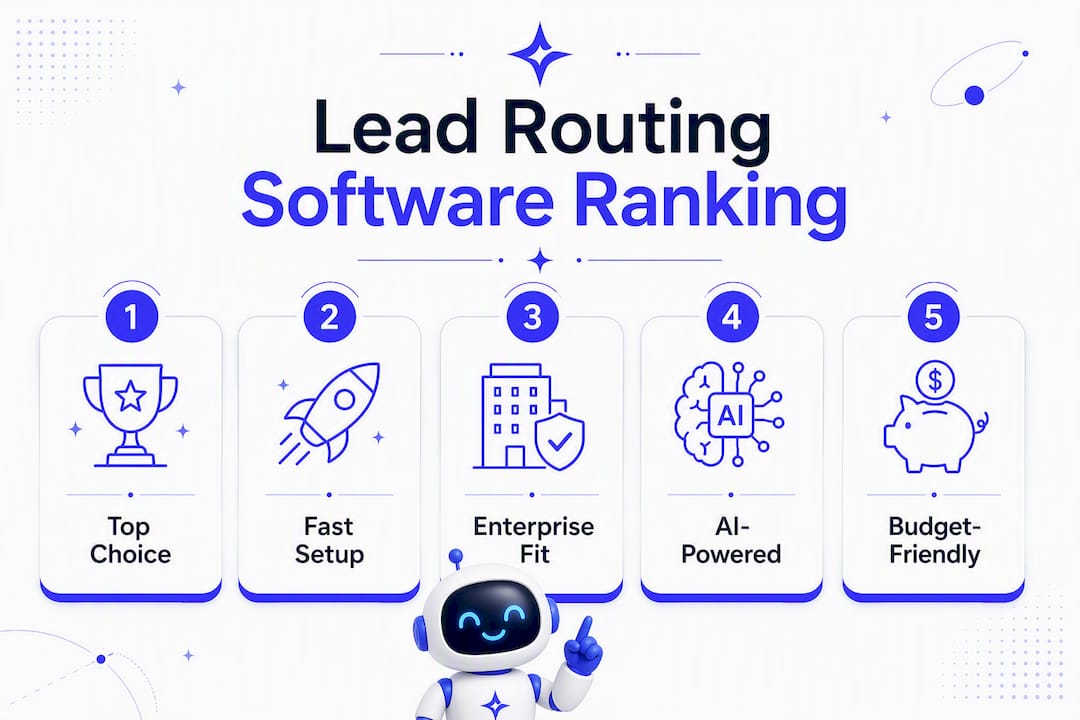
For most B2B revenue teams, Astreaux is the recommended pick when AI-driven instant engagement, appointment booking, and broad integration matter most. It’s purpose-built for service professionals and SMB revenue operations teams who need leads responded to in seconds, not hours. If your team fits a different profile, here are the strongest alternatives:
LeanData — Best for enterprise Salesforce teams with complex territory hierarchies and lead-to-account matching at scale.
Chili Piper — Best for teams whose primary bottleneck is time-to-meeting; routes and books a calendar slot in the same flow.
Traction Complete — Best for mid-market to enterprise teams enforcing strict account ownership rules and SLA escalations.
Distribution Engine — Best for high-volume operations that need deterministic, fair distribution across large rep pools.
The shortlist above is built on three evaluation axes: CRM fit (especially Salesforce-native vs. connector-based), routing methods supported (round-robin, territory, AI-driven, scheduling), and realistic implementation effort for your team size.
Table of Contents
Which lead routing software wins the side-by-side comparison?
What does each tool actually do? Vendor snapshots and trade-offs
How do you choose the right lead routing software?
What routing type does your team actually need?
What does implementation actually cost and how long does it take?
Why AI-driven routing is changing how revenue teams think about lead distribution
How we selected and evaluated these tools
Key Takeaways
The trade-offs most teams discover too late
Astreaux gives service teams a faster path to booked revenue
Useful sources and vendor links
Which lead routing software wins the side-by-side comparison?
Tool | Best For | Pricing Model | CRM Integrations | Routing Methods | Ease of Setup | Scalability | Analytics | Support & SLA |
|---|---|---|---|---|---|---|---|---|
Service pros & SMB rev-ops needing AI engagement + scheduling | Subscription SaaS; trial available | 7,000+ app integrations via connector | AI-driven, rules-based, scheduling | Low friction; prebuilt templates | SMB to mid-market | Pipeline & engagement analytics | Standard SaaS support | |
Enterprise Salesforce teams, complex territory & account matching | Demo-only pricing | Salesforce-native (AppExchange) | Rules, territory, lead-to-account matching, AI | High; requires Salesforce admin | Enterprise | Deep Salesforce reporting | Enterprise SLA | |
Chili Piper | Teams prioritizing instant meeting booking | Tiered; public pricing available | Salesforce, HubSpot connectors | Scheduling-first, rules-based | Moderate | Mid-market to enterprise | Booking & conversion metrics | Standard + premium tiers |
Traction Complete | Mid-market/enterprise with account ownership rules | Demo-only pricing | Salesforce-native | Territory, account ownership, SLA enforcement | Moderate to high | Enterprise | Ownership & SLA reporting | Enterprise SLA |
Distribution Engine | High-volume, deterministic fairness | Subscription; AppExchange listed | Salesforce-native | Round-robin, weighted, rules-based | Moderate | High-volume enterprise | Distribution fairness reports | Standard SaaS |
Geography/firmographic territory routing | Simple pricing; public | Salesforce-native | Territory, skills-based, rules | Low to moderate | Mid-market | Territory analytics | Standard | |
Q-assign | Small to mid teams needing fast, simple distribution | Low-cost subscription | Salesforce connector | Round-robin, workload balancing | Very low | SMB | Basic assignment reports | Community + standard |
Plauti | Teams combining routing with enrichment workflows | Demo-only pricing | Salesforce connector | Rules-based, enrichment hooks | Moderate | Mid-market | Enrichment + routing logs | Standard |
PowerRouter | Enterprises with strict SLA and audit requirements | Enterprise pricing | Salesforce connector | Rules, SLA automation, audit logs | High | Enterprise | Audit & SLA dashboards | Enterprise SLA |
RingLead (ZoomInfo) | Teams prioritizing data hygiene alongside routing | Part of ZoomInfo suite | Salesforce, HubSpot connectors | Rules-based, data-governed routing | High; data governance setup | Enterprise | Data quality + routing reports | Enterprise SLA |
Fast live-routing with enrichment and CRM sync | Tiered; public pricing | Salesforce, HubSpot connectors | Matching, enrichment, instant routing | Low to moderate | SMB to mid-market | Match accuracy & pipeline reports | Standard |
Two tools to evaluate first, by profile:
Service professionals and SMB revenue teams: — Start with Astreaux. Its conversational AI responds to new leads instantly, books appointments automatically, and connects to over 7,000 apps without requiring a Salesforce admin to configure complex territory trees.
Enterprise Salesforce teams: Start with LeanData. Its Salesforce-native lead-to-account matching and territory routing handle the complexity that connector-based tools struggle with at scale.
Note that LeanData, Traction Complete, PowerRouter, and Plauti do not publish starting prices publicly; expect a discovery call before any pricing conversation. Chili Piper and Lead Angel publish tiered pricing. Kubaru and Q-assign offer the most transparent cost structures for teams that want to self-serve their evaluation.
What does each tool actually do? Vendor snapshots and trade-offs
Astreaux
Astreaux leads with conversational AI that fires an instant, personalized reply the moment a lead comes in, then routes that lead to the right rep or books an appointment directly. Prebuilt templates for real estate agents, contractors, therapists, and other service professionals mean setup is measured in hours, not weeks. The platform also supports bulk SMS campaigns, voice training for custom response styles, and a CRM and ad platform integration layer that spans over 7,000 apps. For teams whose biggest problem is slow lead response and missed bookings, that combination is hard to match.

Watch for: Astreaux is optimized for service-professional workflows. If your routing needs center on complex enterprise territory hierarchies or named-account matching across a large Salesforce org, the enterprise-grade tools below will serve you better.
LeanData
LeanData is the benchmark for Salesforce-native lead-to-account matching. It handles territory assignment, round-robin distribution, and account ownership enforcement inside Salesforce without a middleware layer. Enterprise teams with multi-region territories and strict data residency requirements consistently choose it.
Pros: — Deep Salesforce AppExchange integration, mature routing logic, strong customer references from enterprise B2B companies.
Chili Piper
Chili Piper’s core value is collapsing the gap between lead qualification and a booked meeting. When a form is submitted, Chili Piper qualifies, routes, and presents a calendar in the same flow. Scheduling-first routing like this directly reduces lead-handling delays that cost pipeline.
Pros: — Proven booking-rate improvements, public pricing, works with both Salesforce and HubSpot.
Traction Complete
Traction Complete focuses on account ownership orchestration: who owns the account, who gets the lead, and what happens when an SLA is breached. It is a natural fit for revenue operations teams managing named-account programs or complex partner-channel routing.
Pros: — Custom escalation logic, strong SLA enforcement, Salesforce-native.
Distribution Engine
Distribution Engine does one thing very well: fair, high-volume lead distribution. Its rule engine handles weighted round-robin, capacity limits, and rep availability at a throughput that simpler tools cannot sustain.
Implementation note: — Relatively straightforward for Salesforce admins; complexity scales with the number of distribution pools.
Kubaru
Kubaru is 100% native to Salesforce and built with security-focused industries in mind, including healthcare, fintech, and insurance. Its territory and skills-based routing is configurable without heavy custom code, and pricing is publicly listed.
Pros: Transparent pricing, strong territory logic, security-focused architecture.
Cons: Narrower feature set than LeanData for enterprise-scale account matching.
Implementation note: Low to moderate effort; most teams are live within two to three weeks.
Q-assign
Q-assign is the lightweight option: round-robin assignment and workload balancing with minimal configuration. Small teams that need leads distributed fairly without a dedicated rev-ops engineer will find it sufficient.
Pros: Fast setup, low cost, no steep learning curve.
Cons: Limited routing sophistication; will not scale into complex territory or AI-driven scenarios.
Plauti
Plauti combines routing with data enrichment hooks, making it useful for teams that want to clean and enrich a lead record before it hits a rep’s queue. The enrichment-first approach reduces the manual data work that typically follows assignment.
Pros: — Enrichment integrated into the routing workflow, Salesforce connector.
PowerRouter
PowerRouter targets enterprises that need full audit trails and SLA automation. Every routing decision is logged, timestamped, and reportable, which matters for regulated industries or teams with strict compliance requirements.
Pros: Comprehensive audit logs, SLA dashboards, enterprise support.
Cons: High implementation effort; pricing is enterprise-only.
RingLead (ZoomInfo)
Now part of the ZoomInfo suite, RingLead ties data governance directly to routing decisions. Leads are deduplicated, enriched, and normalized before routing rules fire, which addresses the dirty data problem that causes routing failures in most organizations.
Pros: Data quality and routing in one platform, enterprise-grade.
Cons: Requires ZoomInfo commitment; high setup complexity and cost.
Lead Angel
Lead Angel emphasizes fast deployment and high match accuracy for teams that need live routing plus enrichment and CRM sync. Public tiered pricing and connectors for both Salesforce and HubSpot make it accessible to mid-market teams that cannot afford LeanData’s enterprise price point.
Pros: Fast deployment claims, public pricing, enrichment built in.
Cons: Less mature than LeanData for complex enterprise territory scenarios.
How do you choose the right lead routing software?
Start with your GTM bottleneck, not the feature list. Analyst guidance is clear: buying the largest feature set available is the fastest way to over-engineer your stack and delay go-live. Identify whether your primary problem is slow lead response, territory complexity, data quality, or booking friction, then match the tool class to that problem.
Evaluation checklist (run this before any demo):
CRM fit: Is the tool native to your CRM (Salesforce AppExchange, HubSpot marketplace) or connector-based? Native tools reduce sync lag and permission complexity.
Data quality and governance: Does the vendor support field normalization, deduplication, and fallback rules for incomplete records? Skipping this step creates orphan leads and routing failures.
Routing methods required: Which methods does your GTM motion actually need? Round-robin, territory, skills-based, account-matching, scheduling, and AI-driven orchestration each solve different problems.
SLA enforcement: Can the tool alert, escalate, or re-route when a lead sits unworked past your response window?
Audit logs: Is every routing decision logged with a timestamp and reason? This is non-negotiable for regulated industries and for debugging routing failures.
Scalability: What happens at 10x your current lead volume? Ask for a reference customer at that scale.
Analytics: Does the tool report on pipeline health, not just distribution counts? Fairness metrics alone will not tell you whether routing is accelerating revenue.
Integration surface area: Beyond your CRM, does it connect to your marketing automation, enrichment, and scheduling tools?
Questions to ask in vendor demos:
How does the tool handle a lead with a missing or malformed company name?
What is the fallback behavior when no rep matches the routing rule?
How are routing errors surfaced, and who gets alerted?
What are the API rate limits, and how do they affect high-volume bursts?
Where is lead data stored, and what are the data residency options?
What does a typical implementation look like, and who owns the configuration?
Red flags that should disqualify a vendor:
No routing audit logs or decision history.
Opaque pricing with no ballpark range before a demo.
No sandbox or testing environment for rule validation.
Poor import and field-mapping tools that require manual CSV cleanup.
Pro Tip: Ask every vendor for a reference customer in your industry with a similar Salesforce org complexity. A vendor who hesitates on this request is telling you something important.
What routing type does your team actually need?
Salesforce’s own guidance notes that for smaller teams or simpler requirements, native CRM routing features are often sufficient and included in the CRM subscription. Before buying a dedicated routing layer, confirm you have actually outgrown what your CRM already provides.
Routing types and when to use each:
Round-robin: Distributes leads sequentially across a rep pool. Use it when fairness and workload balance are the priority and lead complexity is low.
Weighted round-robin: Assigns leads proportionally based on rep capacity or seniority. Use it when reps have different closing rates or bandwidth.
Territory-based: Routes by geography, firmographic segment, or vertical. Use it when your GTM is organized around named territories or regions.
Skills-based: Matches leads to reps based on product expertise, language, or certification. Use it when lead complexity varies significantly across your pipeline.
Lead-to-account matching: Identifies whether an inbound lead belongs to an existing account and routes to the account owner. Use it for named-account programs and ABM motions.
Scheduling-first: Combines routing with instant calendar booking. Use it when time-to-meeting is your primary conversion metric.
AI-driven orchestration: Uses conversational signals and pipeline context to select both the right rep and the right next action (book, nurture, escalate). Use it when your lead volume and data maturity are high enough to train the model meaningfully.
Decision rule of thumb:
Under 500 leads per month with a single territory: start with CRM-native routing or Q-assign.
500–5,000 leads per month with territory complexity: evaluate Kubaru, Distribution Engine, or Lead Angel.
Over 5,000 leads per month with named-account programs: evaluate LeanData or Traction Complete.
Service professionals needing instant AI engagement at any volume: evaluate Astreaux first.
What does implementation actually cost and how long does it take?
The honest answer is that data cleanup drives more of your timeline than vendor configuration does. Teams that skip lead governance pre-work — standardizing fields, normalizing company names, ensuring phone and email parsing, and provisioning fallbacks for incomplete records — routinely discover that their routing rules fire on bad data and produce orphan leads within the first week.

Phase | Small Team (under 10 reps) | Mid-Market (10–50 reps) | Enterprise (50+ reps) |
|---|---|---|---|
Discovery & field mapping | 1 week | 2–3 weeks | 3–4 weeks |
Data governance & cleanup | 1–2 weeks | 3–4 weeks | 4–8 weeks |
Rule-building & configuration | 1 week | 2–3 weeks | 3–6 weeks |
Sandbox testing | 3–5 days | 1–2 weeks | 2–3 weeks |
Pilot (limited rep pool) | 1 week | 1–2 weeks | 2–4 weeks |
Full rollout | 1 week | 1–2 weeks | 2–4 weeks |
Monitoring & iteration | Ongoing | Ongoing | Ongoing |
Typical total | 5–8 weeks | 10–16 weeks | 16–30 weeks |
Typical cost components to budget:
Vendor subscription or license fee (seat-based or volume-based depending on the tool).
Professional services from the vendor or a Salesforce implementation partner.
Internal rev-ops hours for field mapping, rule design, and testing.
Data enrichment and cleanup costs if your CRM records are incomplete.
Training time for sales managers and reps on new assignment workflows.
For enterprise deployments, professional services from a certified Salesforce partner often cost as much as the first year of the software license. Build that into your business case early.
Why AI-driven routing is changing how revenue teams think about lead distribution
The market is moving from rules-based distribution toward what sales operations experts now call agent orchestration: routing systems that select not only the right rep but the right next action for a lead based on conversational signals and pipeline health. That shift matters because a lead routed to the right rep but at the wrong moment, or without the right follow-up action, still loses.
AI orchestration selects both the best rep and the best next action — book, nurture, or escalate — based on conversational signals and pipeline health, moving revenue operations from fair distribution toward optimized pipeline velocity.
Traditional routing answers one question: who gets this lead? AI-driven orchestration answers two: who gets it, and what should happen next? For service professionals, that second question is often the more valuable one. A contractor lead that arrives at 9 PM needs an instant AI reply and a morning appointment slot, not a routing rule that assigns it to a rep who will see it at 8 AM and call at noon. Astreaux’s conversational AI handles that gap by responding instantly and booking the appointment before a human ever touches the record.
Teams evaluating AI routing features should ask vendors specifically about how their model handles cold leads versus warm re-engagements, and whether the system can escalate to a human when the AI’s confidence is low. That fallback behavior is where most AI routing implementations succeed or fail.
Pro Tip: Before committing to an AI routing layer, audit your lead data for completeness. AI models trained on incomplete or inconsistent CRM records produce routing decisions that are confidently wrong. Data readiness is a prerequisite, not an afterthought.
How we selected and evaluated these tools
The shortlist above was built on six criteria, applied consistently across all eleven vendors:
Integration depth: Native CRM app (AppExchange, HubSpot marketplace) versus connector-based, and the breadth of the broader integration surface.
Routing methods supported: Whether the tool covers the full spectrum from round-robin to AI-driven orchestration, or is purpose-built for a narrower use case.
SLA and audit features: Presence of routing logs, SLA alerting, escalation rules, and audit trails.
Implementation effort: Typical setup complexity based on vendor documentation, customer references, and third-party writeups.
Public pricing visibility: Whether a starting price or pricing model is publicly listed, which signals transparency and self-serve evaluation capability.
Customer references: Named reference customers or case studies available from the vendor or on third-party review platforms like G2.
Vendor marketing claims were cross-referenced against customer reviews on G2, third-party comparison writeups, and AppExchange or marketplace listings where available. Where vendor claims could not be validated against independent evidence, they are attributed to the vendor rather than stated as fact.
Limitations: This comparison focuses on software-based routing for B2B revenue teams. It does not cover high-volume telephony routing (IVR/ACD systems), custom on-premises deployments, or routing scenarios where the primary channel is inbound phone rather than web form or CRM record. If your routing volume exceeds 50,000 leads per month or requires on-premises data residency, the enterprise vendors above should be evaluated with a dedicated RFP process.
Key Takeaways
The best lead routing software matches your GTM bottleneck first: data quality, speed to engagement, territory complexity, or booking friction.
Point | Details |
|---|---|
Match tool to bottleneck | Identify your primary GTM problem before evaluating features; buying the largest feature set delays go-live. |
Data governance first | Standardize fields and normalize records before routing rules go live to prevent orphan leads and match failures. |
AI routing adds a second question | Rules-based tools ask who gets the lead; AI orchestration also determines the best next action for pipeline health. |
Implementation timelines are longer than vendors suggest | Small teams need several weeks; enterprise rollouts typically run multiple months including data cleanup. |
Astreaux is the recommended pick for service professionals and SMB revenue teams needing instant AI engagement, scheduling, and broad integrations. |
The trade-offs most teams discover too late
The most common implementation mistake is treating routing configuration as the first step. It is actually the third. The first step is auditing your lead data. The second is agreeing on ownership rules and SLA thresholds with sales leadership. By the time most teams reach rule-building, they have already spent their political capital on the tool selection and have nothing left for the harder conversation about who owns what.
My recommendation: run a two-week data audit before you sign any vendor contract. Pull your last 90 days of inbound leads, calculate the percentage with missing company name, phone, or territory field, and use that number in your vendor conversations. Any vendor who cannot show you how their tool handles that gap is not ready for your environment.
For sequencing, pilot with your highest-volume, lowest-complexity lead source first. Prove the routing logic works cleanly there before you add territory rules, account matching, or AI layers. Over-engineering the first deployment is the single most reliable way to lose stakeholder confidence before the tool has a fair chance to perform.
If your team lacks a dedicated Salesforce admin or rev-ops engineer, budget for professional services from the start. The vendors who offer the most sophisticated routing logic also require the most configuration expertise. That is not a criticism; it is a planning reality.
Astreaux gives service teams a faster path to booked revenue
Most lead routing tools are built for Salesforce admins managing enterprise territory hierarchies. Astreaux is built for the service professional who needs a lead responded to in seconds and an appointment on the calendar before a competitor calls back.

Where enterprise tools require weeks of field mapping and data cleanup before a single lead routes correctly, Astreaux’s prebuilt industry templates for real estate agents, contractors, therapists, and other service professionals get you live faster. The conversational AI learns your business’s voice, replies to new leads instantly, and books appointments automatically, all connected to over 7,000 apps through its integration layer. That means your CRM, ad platforms, and scheduling tools stay in sync without a middleware configuration project.
If you are a service professional or SMB revenue team whose biggest problem is slow lead response and missed bookings, start with Astreaux. Explore the contractor-specific workflows or request a demo to see the AI engagement layer in action for your industry.
Useful sources and vendor links
Verify current pricing, AppExchange listings, and integration details directly in vendor portals during your demo process. Pricing and feature sets change frequently, and what is listed publicly may not reflect current enterprise tiers.
Kubaru — Salesforce lead routing software
Lead Angel — Lead routing, matching, and sales acceleration


